
Discover what's new in our 26.8 release, featuring AI-assisted manufacturability reports, batch-centric production queue tools, flexible in-production material changes, and enhanced material compatibility checks.
Introducing AI-Assisted Part Assessment
Evaluating parts for manufacturability shouldn't feel like sifting through unstructured data. In this release, we've upgraded our AI capabilities to deliver structured, actionable part insights right where you need them most. You'll now get instant visibility into part summaries, recommended material options, and key properties without risking accidental overwrites to existing data. 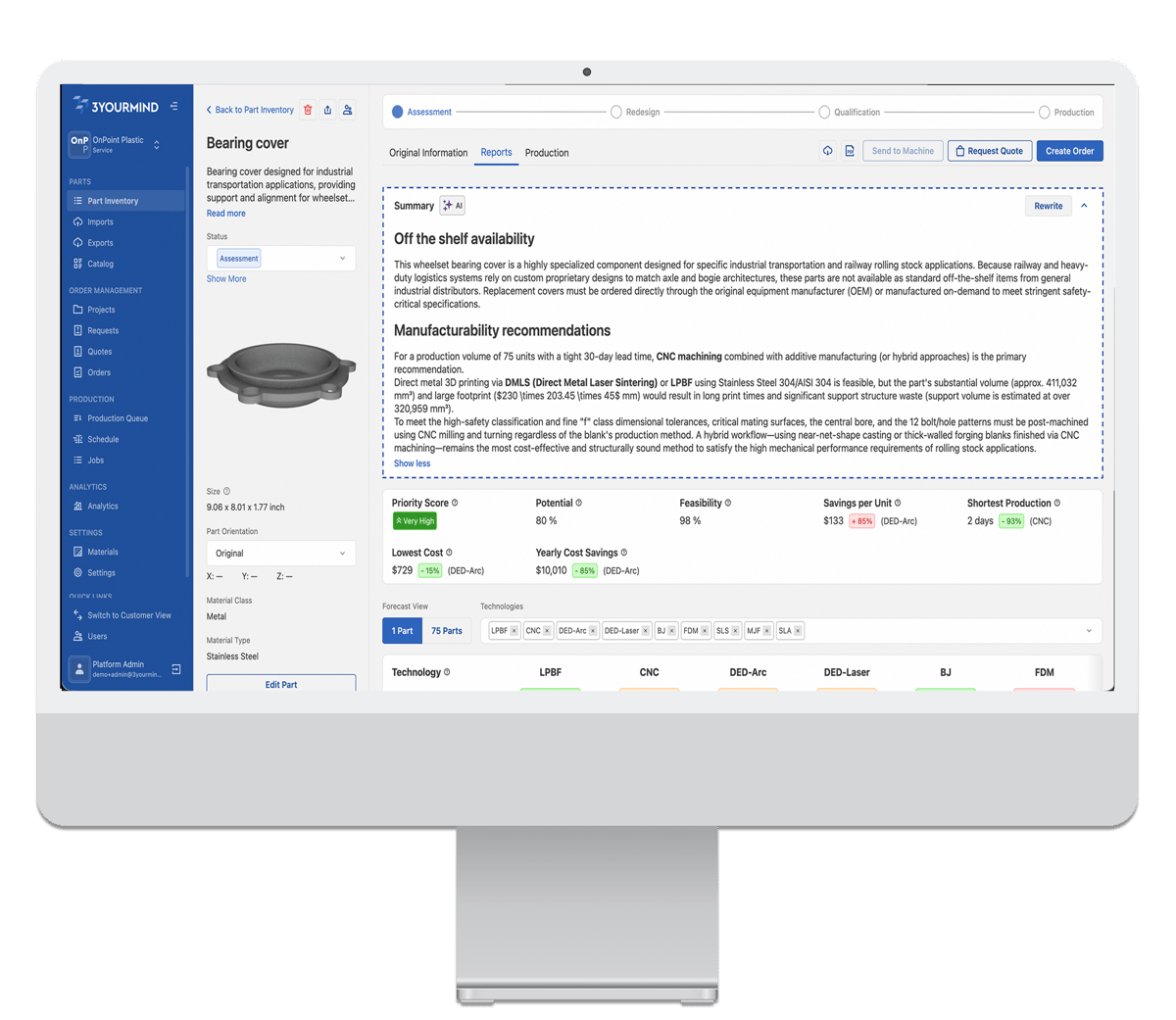
Photo: An AI-generated summary can be shown at the top of the Manufacturability Report, giving users a concise overview of the part and its relevant context.
- AI-Generated Report Summaries: View collapsible, customizable summaries directly at the top of your Manufacturability Reports to quickly grasp essential context.
- Structured Data Extraction: Automatically populate structured properties for part descriptions, labels, clusters, and 2D drawing analysis.
- Controlled & Configurable Updates: Protect user-provided data with AI updates that don't auto-retrigger, customized via admin-managed prompts
Material Check Just Got an Enhancement
Finding the right manufacturing route shouldn't stop just because an exact material match isn't initially available. Our improved material check brings unprecedented nuance to material compatibility, ensuring viable technologies aren't ruled out prematurely. Planners can now easily evaluate substitute materials and understand risk levels at a single glance.
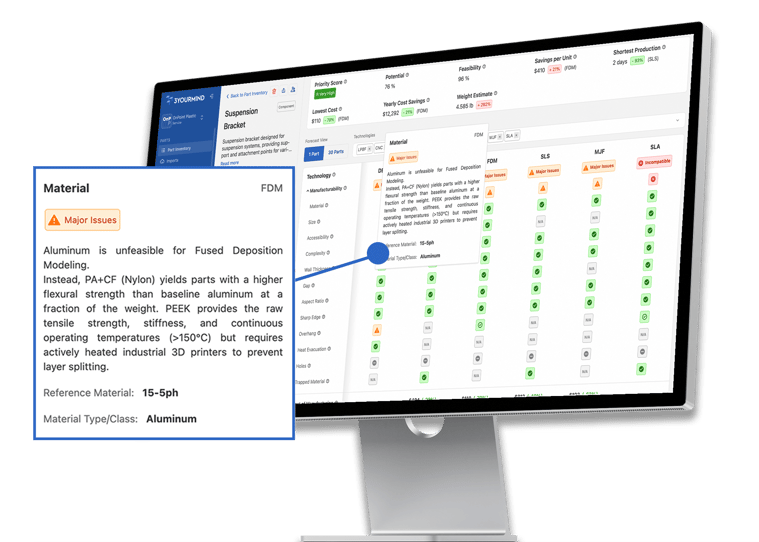
Pictured: Material check now offers more granular assessment results, including substitute material support and material compatibility evaluations.
- Granular Compatibility Ratings: Evaluate options as Good, Minor Issues, Major Issues, or Incompatible rather than relying on a rigid pass/fail.
- Substitute Material Support: Surface alternative manufacturing routes by mapping compatible replacement materials per technology.
- Clear Context & Explanations: Receive explicit guidance on why a material fits, complete with detailed reference and detected material types.
Production Queue is Now Batch-Centric
Production planning flows best when tools mirror how work actually happens on the shop floor. We've redesigned the Production Queue from the ground up, placing batches front and center as the primary operational unit. Planners gain instant visibility into current workflow steps, assigned workstations, and batch statuses without constant context switching. Batch-centric production queue makes it easier to see what is waiting, what is assigned, and what needs attention.
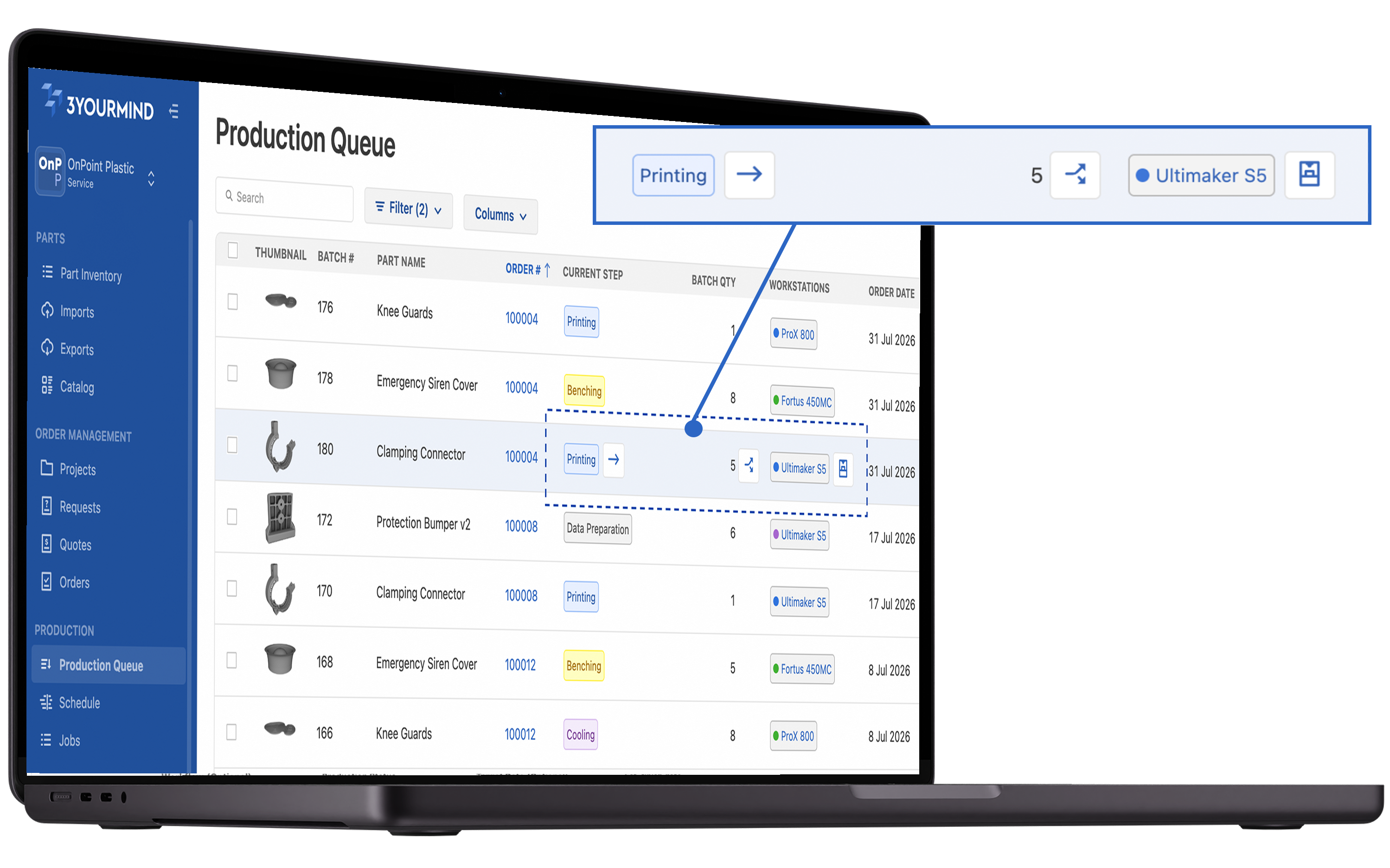
Photo: Production planners can work with batches directly, which better matches how production work is grouped, moved, assigned, and tracked.
- Batch-First Organization: Track clear batch numbers, quantities, target dates, and sortable, color-coded workflow steps directly from the queue.
- Workstation Visibility & Filtering: Filter, assign, and manage single or multiple workstations per batch directly from row actions.
- In-Line Operations: Split batches into smaller production units and advance workflow steps seamlessly without leaving the main queue view.
Change Material in Production—if You Need To
Real-world manufacturing requires flexibility when supply chains shift or better material options emerge mid-run. You can now adjust the production material for a part after an order has already entered the shop floor. This keeps execution moving forward smoothly while preserving original customer order records.
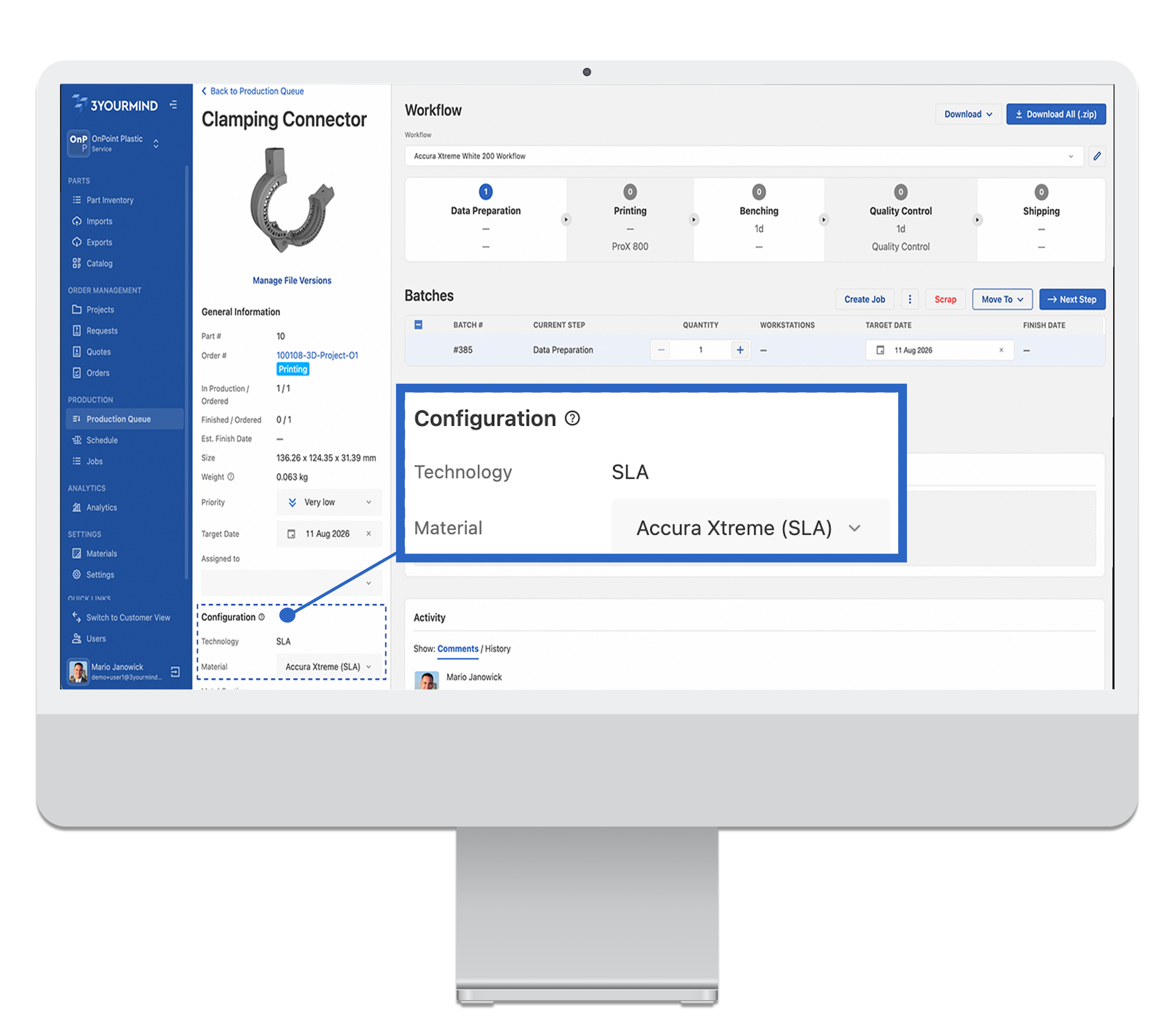
Photo: Production planners can react to material or technology availability changes without blocking the print job, resulting in more resilient production execution.
- Editable Production Materials: Update part materials directly on the Production Part Detail page, with automatic read-only updates to the related technology.
- Complete Audit Trail: Track every material update in a dedicated change history log while keeping order-level and production-level data separate.
- Workflow Mismatch Warnings: Receive prompt alerts if a new material conflicts with the current workflow, allowing you to switch to a supported path effortlessly.
Further Improvements and Fixes
Alongside our major headline features, this update delivers broad polish and reliability improvements across the entire platform. From enhanced navigation and restored comment e-mail notifications to expanded currency support, these refinements optimize day-to-day collaboration and administrative control.
- Advanced Filtering & Navigation: Search parts using multi-label AND logic, hide rejected items by default, and remove individual table filters with a single click..
- Hardware & Admin Integrations: Connect machines via the new Aggregator GUI, send G-code directly using OctoPrint, and manage Organization Admin roles seamlessly
- Global & System Polish: Enjoy platform-wide support for the Moroccan Dirham (MAD), standard DD/MM/YYYY date formatting, and improved responsive mobile layouts.
This release is currently being rolled out to our SaaS customers. If you don't see updates immediately, they should be available within the next few days.
For further information or feedback, please get in touch with our technical support helpdesk, or contact us via e-mail.

Best regards,
Stephan Galozy
Chief Product Officer