
In our 25.12 release, we're focusing on making our software even more operational.
With more critical users utilizing 3YOURMIND than ever before, we're not only improving 3YOURMIND's features; we're also improving how you use them.
Load Parts and Projects Pages Much Faster
3YOURMIND was designed as a centralized inventory for digitized parts. And while that remains true, we observed that our customers had so many parts in their inventories that it impacted page load time. We see that as a testament to the importance of our work.
Today, companies are no longer looking to advanced manufacturing for onesie-twosie parts – now they're looking to digitize entire inventories of thousands or tens of thousands of parts to integrate into a larger advanced manufacturing strategy. And 3YOURMIND is excited to be part of the journey.
For that reason, we've optimized the system so that the Part and Projects Lists load much faster. This allows you to navigate large lists quickly and more responsively.
See the difference for yourself.
Before: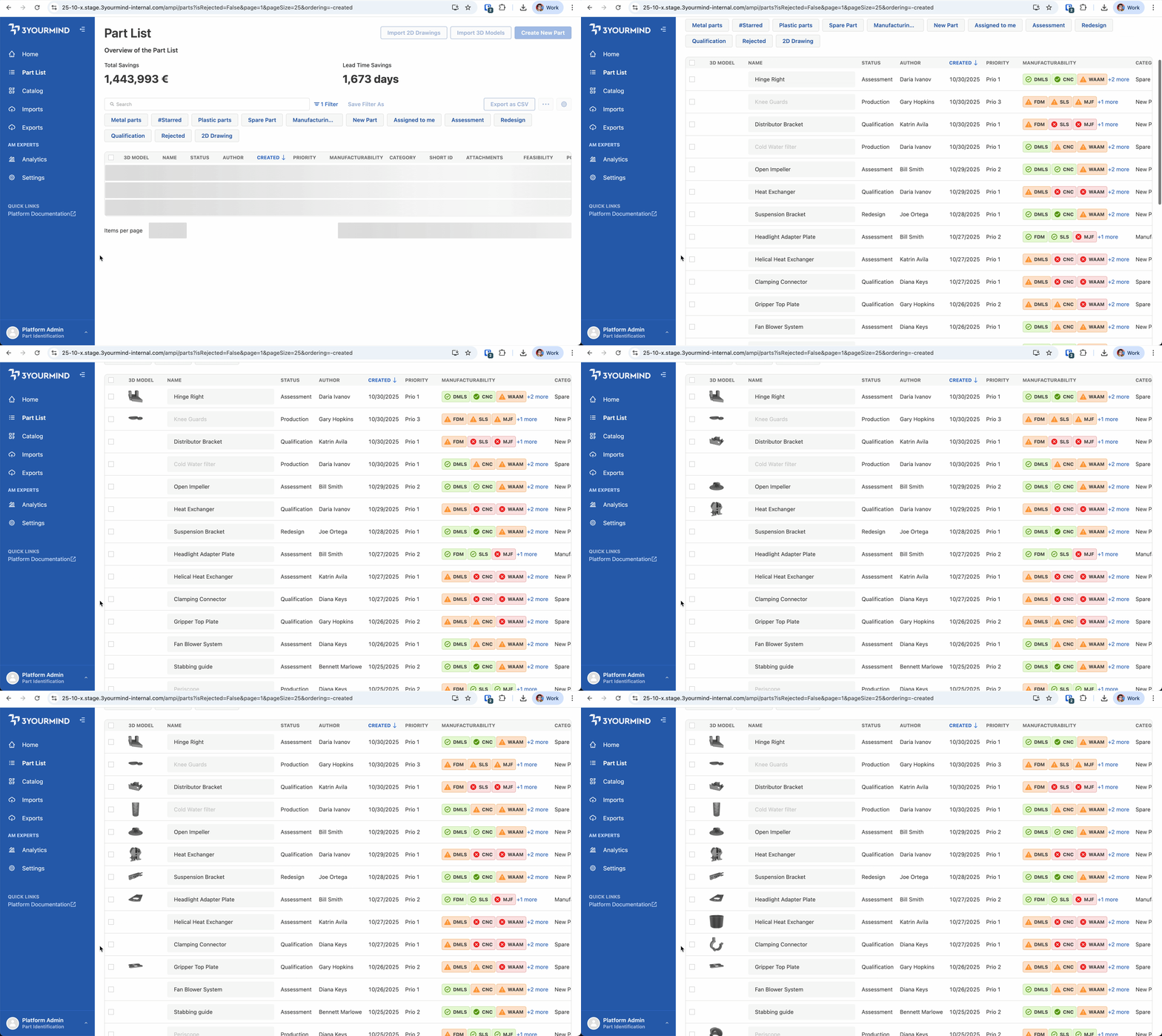 Previously, 3D model images loaded slowly, often one at a time.
After:
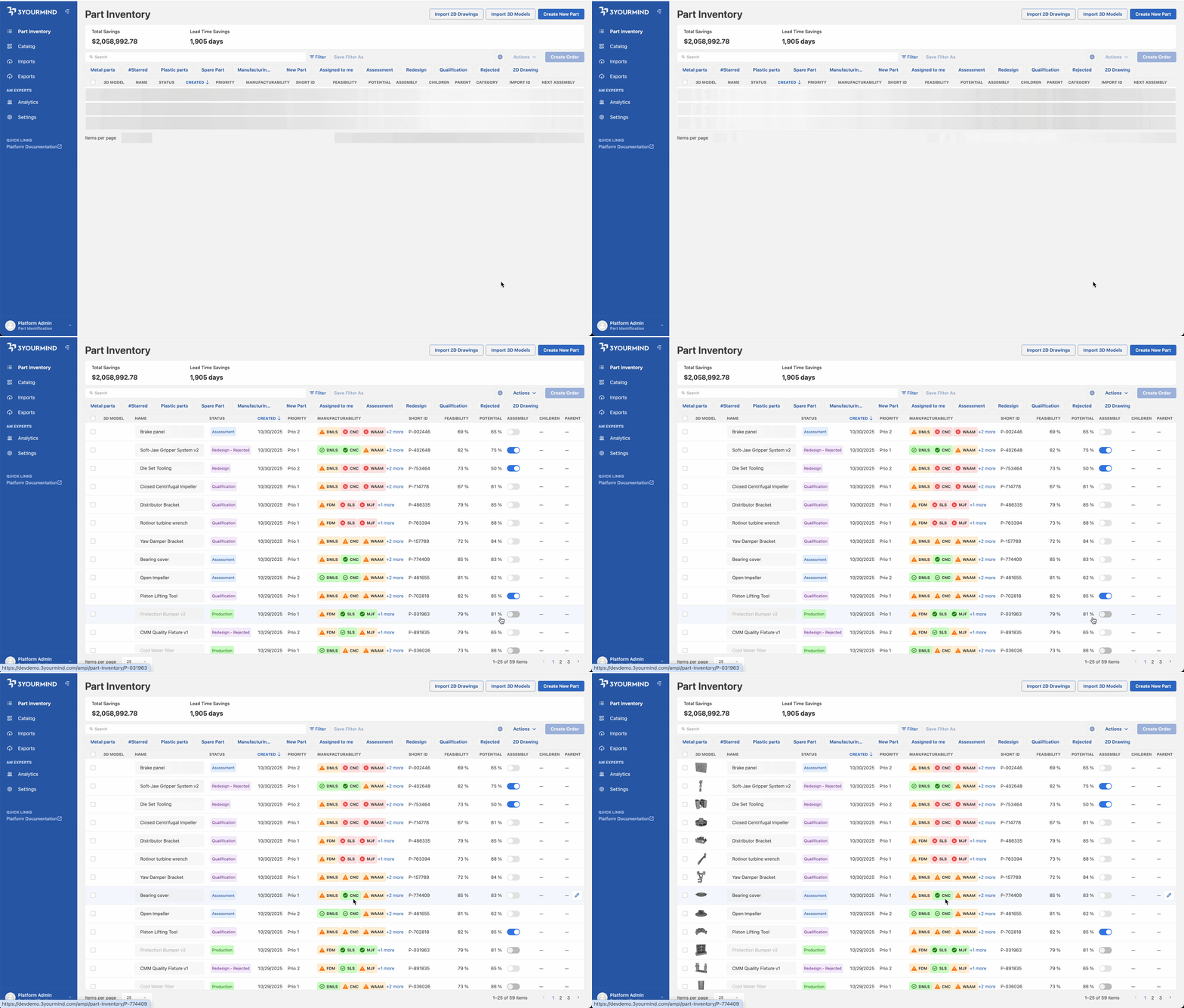
Now you can see all of your parts and 3D models much faster.
25.12 – Part Identification Improvements
The Part List has a New Name: Part Inventory
The heart of the Part Identification has always been its ability to inventory parts. With the latest 25.12 release, we replace the former 'Part List' and instead call it exactly what it is: Part Inventory. This makes it easier for our users to navigate their platform. Read more about in the release notes.
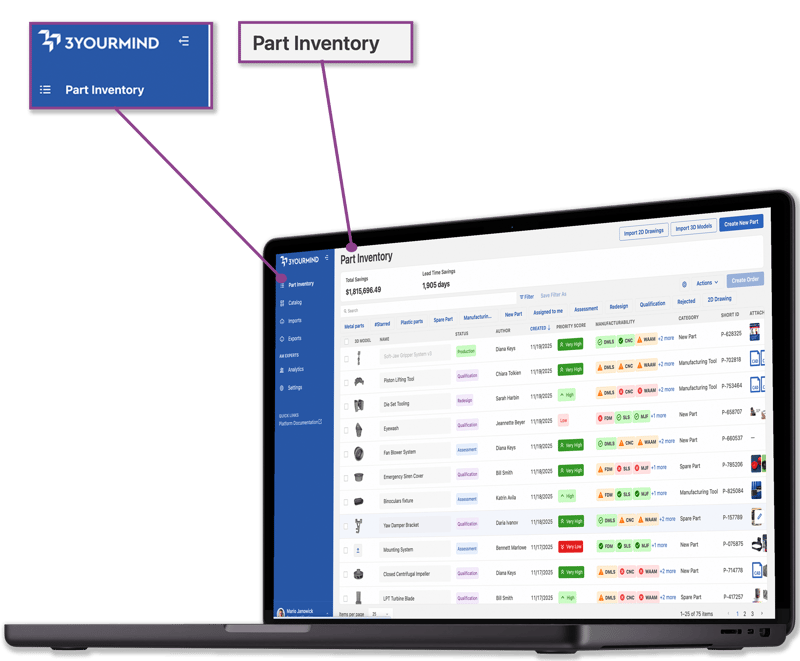 The 'Part List' or 'Home Page' is now called Part Inventory.
Create Orders From the Part Inventory
Our 25.12 release connects the Part Inventory with Production. Experts can now create internal orders directly from the Part Inventory and specify all details for a production order in a single step. In addition, users can also request multiple parts from connected suppliers (via 'Add to Basket').
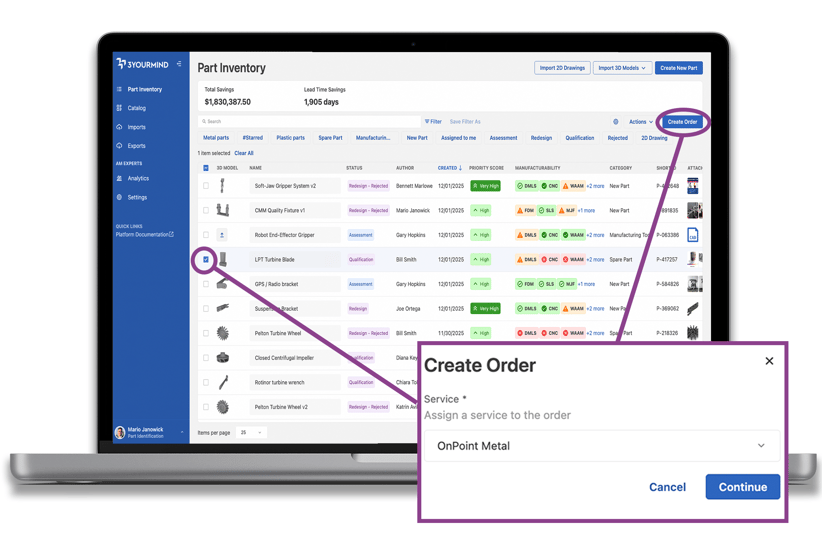 From the Part Inventory, you can create an order in a single step.
We see two primary benefits of this enhancement. First, creating an order within the Part Inventory streamlines digitization and production, enabling data continuity in the process. Second, it improves interoperability – users can request parts as they're realized by AdvM production experts, helping ensure seamless, traceable collaboration between teams.
25.12 – Distributed Manufacturing Enhancements
Manage Production Queues Easier
We have streamlined your production process with enhanced efficiency, better organization, and improved access to essential files.
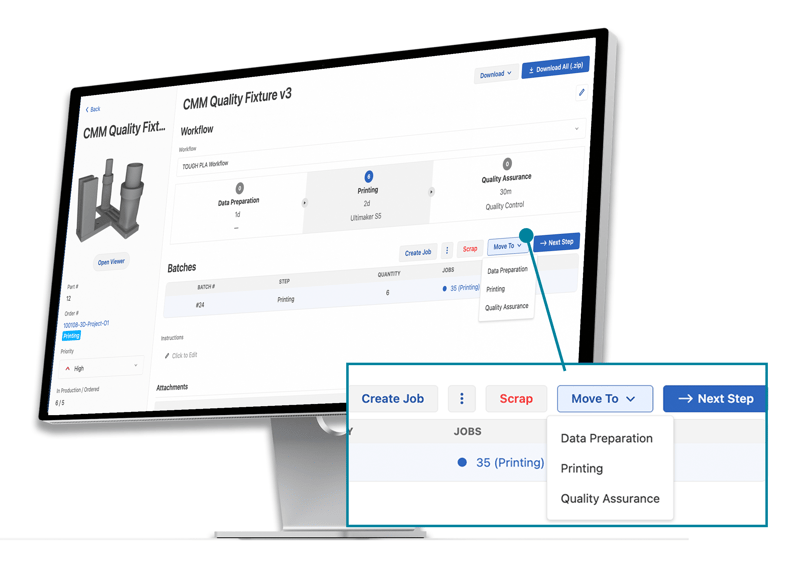 Access key functions quickly from the Production Queue
As part of this update, we've reduced the total number of clicks required for workflow progression. For example, we've enabled bulk actions to move parts forward directly from the overview table. In addition, we've placed key functions like 'Move to', 'Next Step', and 'Download Attachments' front and center to make Production Queue more intuitive and faster to navigate.
Read more about it in the Release Notes.
Better Handover to Production
Coordinators can hand over to operators in production more easily. Now, users can directly assign operators to a part order and provide or edit additional instructions directly on the order.
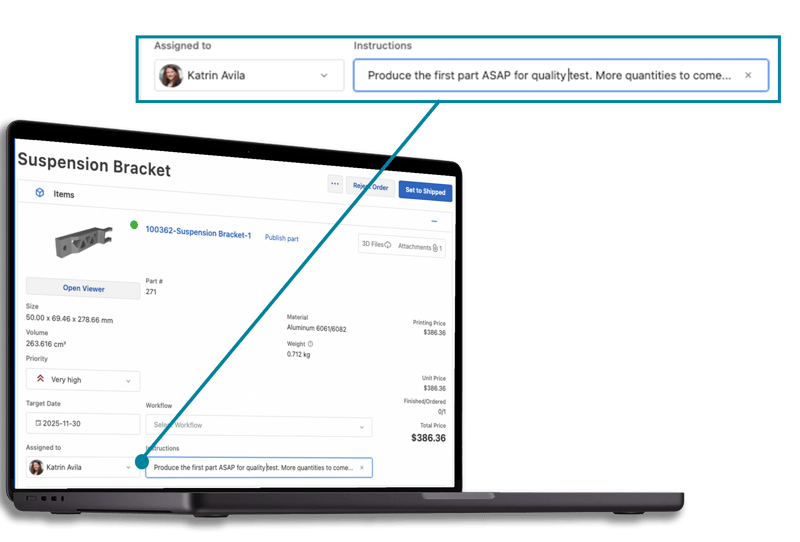 Assign operations and give production instructions within a part order.
This functionality is useful because it keeps critical information in one central place: the part order. Rather than searching through notifications and navigating to other areas of the software platform, all important production information is together in one place.
Customizable Interface and Streamlined Navigation
We have significantly enhanced the Service Workspace and detail views, giving you more control over what you see and streamlining how you access essential data, making your daily work faster and more focused.
In 25.12, detail pages are cleaner and easier to scan upon opening, allowing you to quickly navigate to the specific section of information you need. In addition, you can customize the navigation bar to reduce visual clutter and focus only on the elements relevant to your job.
Find out what other interface customizations are available in the release notes.
This is our final update of 2025, and we're pleased with the progress 3YOURMIND has made this year. We've got big plans for the year to come and look forward to continuing to scale our customers' advanced manufacturing operations. We hope you'll join us on the journey.
Read the complete release notes here. This release is currently being rolled out to our SaaS customers. If you don't see updates immediately, they should be available within the next few days.
For further information or feedback, please get in touch with our technical support helpdesk, or contact us via e-mail.

Best regards,
Stephan Galozy
Chief Product Officer